Wedding invitations
QR Code on Wedding Invitations — What to Link?
A clear, growing trend is emerging in the wedding market: more and more couples are including a small card with a printed QR code alongside their invitations. Wedding invitations with a QR code are an excellent way to share digital information with your guests in a stylish format. But what exactly can you link to with such a code, how do you go about preparing it, and does this solution truly make practical sense for your digital wedding invitations?
What Can You Link to with a QR Code on Your Invitation?
What you choose to link to depends on your organisational needs. In practice, couples often opt for one of three solutions that perfectly complement traditional paper invitations:
- RSVP Form – Instead of a Reply Card: This is the most popular use. Rather than making guests send back a paper card or call, scanning the code takes them to a short form. Here, they can quickly confirm their attendance, specify dietary requirements, and inform you about their plus-one. This is ideal for online RSVP for wedding.
- Your Wedding Website: The code can lead to a dedicated wedding website or digital notice board for your big day. You can include a detailed schedule, travel directions, suggested dress code, or a list of recommended local accommodation near the venue. This functions as a fantastic wedding guest app.
- Save the Date: If you're sending invitations very early, the code can simply lead to a digital Save the Date website for your wedding. With one click, guests can automatically add the event to their phone's calendar, complete with a reminder.
How to Technically Add a QR Code to Your Invitation
Creating such a code is easy and requires no tech expertise. The first step is to use a free QR generator, such as qr-code-generator.com. Simply paste your target website address, and the system will generate the appropriate image for you in a fraction of a second.
Remember to ensure the generated link is stable. Avoid link shorteners (like bit.ly), as they can sometimes remove the address over time, causing your code to stop working. The size of the graphic also matters – phone cameras can typically read codes from 2×2 cm upwards. Before printing your entire batch, print a single copy at home and test it on several different phones.
What Does It Look Like in Practice?
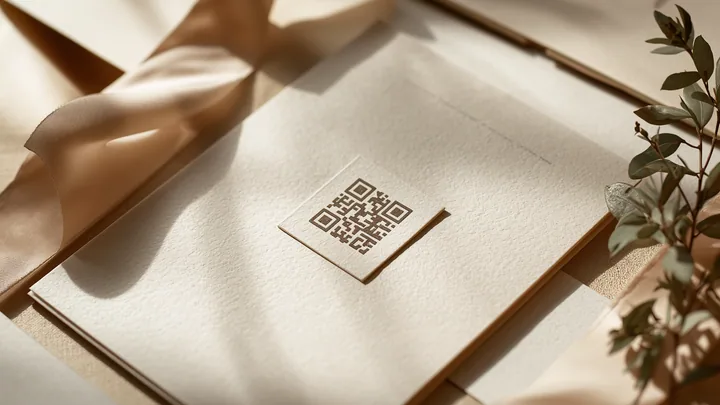
Of course, nobody prints a large, black square in the middle of a beautiful, gilded invitation. Instead, couples prepare an additional, separate small card. This is slipped into the envelope as an aesthetic extra. It's best to include a short, clear instruction, for example: "Scan this code with your phone and confirm your attendance by 30th May".
Importantly, a QR code placed on the wedding table is a completely different matter. This is usually a separate card with a different code, which, during the celebration, directs guests to an interactive wedding app or wedding guest app. The code on the invitation has a different purpose – it complements the paper, but doesn't replace it.
Will All Your Guests Be Able to Use a QR Code?
Since 2018, almost all modern smartphones have a built-in function to read codes directly within the default camera app. There's no need to download any extra applications. For the vast majority of guests, the process is instinctive: they point their camera at the code and tap the pop-up that appears.
Of course, for older guests, such as grandparents, this addition might not be useful. However, it's worth remembering that digital confirmation is an option, not an obligation. For seniors or guests who don't use smartphones, you can always take the traditional approach – simply call them for a chat.
What to Watch Out For Before Printing
The biggest mistake is printing the codes only to realise later that the address has stopped working. Your link needs to function flawlessly throughout your year of preparations, which is why we reiterate: avoid using URL shorteners.
Another point is contrast. The code scans best when the black squares are placed on a white or very light background. Delicate, pastel prints on dark paper can make it very difficult for phone cameras to focus. Always test your wedding QR code several times before the final dispatch of your invitations.
Frequently Asked Questions (FAQ)
Does a QR Code Replace a Paper Invitation?
Absolutely not. An elegant wedding invitation remains a beautiful tradition that lends a unique character to the entire event. A code placed on a special card is merely a modern and functional complement for essential organisational information.
How Much Does It Cost to Add a QR Code to an Invitation?
Generating the code itself online is free. The only costs involved are for printing a small card at a print shop, which typically amounts to a fraction of a euro per invitation.
Does a Guest Need to Install an App to Scan the Code?
No. Today's smartphones can natively read codes directly from the camera app. When a guest points their lens at the paper, a pop-up will automatically appear on the screen, directing them to their browser and the relevant form.
Is One QR Code Enough for the Entire Wedding?
That depends on your organisation. Two different codes often work best. The first – on the invitations, leading to your online RSVP for wedding and schedule. The second – on tables on the wedding day, directing guests to a wedding photo gallery.
Looking for a dedicated space for your wedding QR code, a wedding app, and a post-wedding wedding photo gallery? Discover souveil.