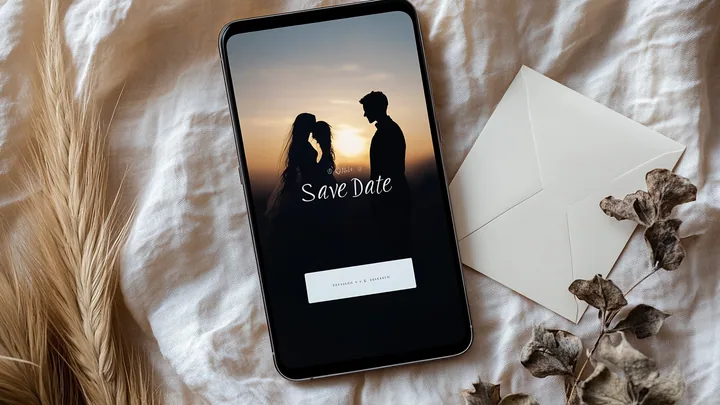
Wedding invitations
Save the Date — When to Send & What to Write
So, you're getting married in a year or so and wondering whether you need to send a Save the Date. Or maybe you've just received a little card from friends and you're not quite sure what to do with it. Don't worry — it's nothing complicated, just an early heads-up for your guests. We'll show you what it is, how it differs from an invitation, and what information it needs to include.
What does "Save the Date" mean?
It's a short message you send to guests with the date and city of your wedding. You send it 8–14 months before the big day, well before you send the actual invitations.
The goal is simple: to give your guests plenty of time to book time off work, arrange flights, or reserve a hotel room. It's not a formal invitation — just a preview. It's especially useful if your wedding is during the summer holidays, on a popular date (like in June or September), or if you have guests living abroad.
Is a Save the Date mandatory?
Nope. It's a nice-to-have, not a must-have. In some situations, it's very helpful; in others, it's completely unnecessary.
It's a good idea to send one when:
- your wedding is during the summer holidays (July, August) — so guests can book their leave early;
- you're getting married away from your hometown or having a destination wedding;
- you have guests living abroad or at the other end of the country;
- your wedding falls on a bank holiday weekend or another popular date (e.g., in September);
- your guest list includes a lot of people from out of town.
A Save the Date is probably not needed when:
- your wedding is local and most of your guests live in the same city;
- you're organising the wedding in 6 months — sending the invitation straight away is enough;
- you're planning an intimate wedding for 30–50 people — you can just call everyone.
The decision is yours. It's a gesture meant to help your guests, not another task to tick off your to-do list.
Save the Date vs. Wedding Invitation: The Differences
They are two different documents, sent at different times and for different purposes.
Save the Date:
- sent 8–14 months before the wedding;
- brief: date, city, the couple's names;
- informal, can be digital;
- does not require a confirmation of attendance;
- purpose: for guests to block out the date in their calendars.
Wedding Invitation:
- sent 2–4 months before the wedding;
- full details: date, time, church or registry office, reception venue, dress code, request to RSVP;
- formal, traditionally on paper (though digital is becoming more common);
- requires a response by a specific date;
- purpose: to formally invite guests and collect RSVPs.
The rule to remember: a Save the Date is a heads-up. An invitation is the actual invitation. One does not replace the other.
When should you send a Save the Date?
A clear timeline helps you choose the right moment.
- 12–14 months before. For a destination wedding or if you have many guests from other countries.
- 8–12 months before. For a typical wedding with guests from out of town.
- 6–8 months before. The latest you should send one — any later and it's better to just send the invitation.
- Less than 6 months before. Skip the Save the Date and go straight to the invitation.
The rule of thumb: if you're thinking of sending a Save the Date 4 months before the wedding — don't. Send the invitation instead. A Save the Date only makes sense as an early announcement.
What to write in a Save the Date — templates
Here are three text examples with different tones. Choose the one that best fits the style of your wedding.
The classic version:
Save the Date
Anna & Tom
13th June 2027
Krakow
Formal invitation to follow.
The warm version:
Something wonderful is happening.
We're getting married on 13.06.2027 in Krakow.
Please save the date — we'd love for you to be there.
Anna and Tom
The minimalist version:
13.06.2027 | Krakow
Anna + Tom
Save the Date
What you must include:
- the wedding date (or a range, e.g., "early autumn 2027," if you haven't booked a venue yet);
- the city or region;
- your names;
- a note that a formal invitation will follow;
- optionally, a link or QR code to your wedding website for more details.
If you want to add a motto or a short quote, a good source of inspiration is our article on wedding invitation quotes — pick a tone and stick with it from the Save the Date right through to the invitation.
What you don't need to add:
- the time of the ceremony;
- the name of the venue or church;
- the dress code;
- RSVP information.
All of that will be in the invitation. A Save the Date should be short and easy to read in 5 seconds.
Save the Date formats — paper, email, or digital
There are three main options, each with its pros and cons.
Paper (A6 card or postcard). Pro: It's tangible, ends up on the fridge, and serves as a constant reminder for your guest. Con: The cost of printing and postage, around €1–€2 per person. Choose this if you're also planning paper invitations and want a consistent look.
Digital via email (PDF or link). Pro: It's fast, free, and easy to forward. Con: It can get lost in an inbox or end up in the spam folder. This is a good option if your guests are active email users — typically a younger crowd.
Digital with a dedicated wedding website. Pro: A single link you can send via WhatsApp, text, or email. The guest clicks it and sees the date, location, and an "add to calendar" button. All future updates (the invitation, RSVP, directions) appear at the same address. Con: You need to have a website, but a simple landing page for a couple costs next to nothing these days. This is the choice for most modern couples.
The hybrid approach. A digital link plus a small printed card with a QR code on your wedding invitation sent to close family and older relatives. It's a compromise that works for all generations.
Increasingly, a Save the Date is simply a link to the couple's own domain, like anna-and-tom.yourdomain.com, which later hosts the full invitation and RSVP. One address for the entire journey to the wedding.
Common Save the Date mistakes
- Sending a Save the Date and then changing the date — book your venue first, then send things out.
- Sending it too early (more than 14 months in advance) — guests will forget, and it loses its impact.
- Sending it to people you might not end up inviting — leading to awkward explanations later.
- Packing in too much information (time, dress code, venue) — this isn't the invitation, and it will just confuse your guests.
- Making a typo in the date and having to correct it via WhatsApp — it just looks unprofessional.
Frequently Asked Questions (FAQ)
Do I send a Save the Date to everyone, or just out-of-town guests?
Traditionally, you send it to everyone you plan to invite. Even if your aunt lives 5 minutes down the road, a Save the Date is a thoughtful gesture — a signal that she's on the list. Sending it to only a select few can create the impression of "tiers" among your guests.
Do guests need to RSVP to a Save the Date?
No. A Save the Date is one-way communication — the couple says, "block out this day." A guest might reply with "Thanks, can't wait!", but there's no obligation. Collecting RSVPs only begins after the formal invitations are sent.
Is a Save the Date enough instead of an invitation?
No, they are two different things. A Save the Date is an advance notice of the date (sent 8–14 months before). An invitation is a formal request to attend with a full schedule and RSVP details (sent 2–4 months before). One does not replace the other.
What if I don't know the exact venue yet?
It's enough to state the city or region — for example, "Krakow," "near Manchester," or "the Cotswolds." The specific address will be included in the invitation. Your guests need the general location to book time off and accommodation; they can plan their exact route later.
How much does a Save the Date cost?
A printed paper version (100 units) can cost anywhere from €50 to €150, plus postage. A digital version made with a tool like Canva and sent by email costs practically nothing. A version with a dedicated wedding website is usually included in the package of your chosen platform.
Looking for a digital Save the Date with your own address (like anna-and-tom.souveil.wedding) and an "add to calendar" button? With souveil, the digital Save the Date is the first module that later expands into a full wedding website with RSVP.